Student Information
Ewan Pedersen CS2210 9 • 25 • 2024
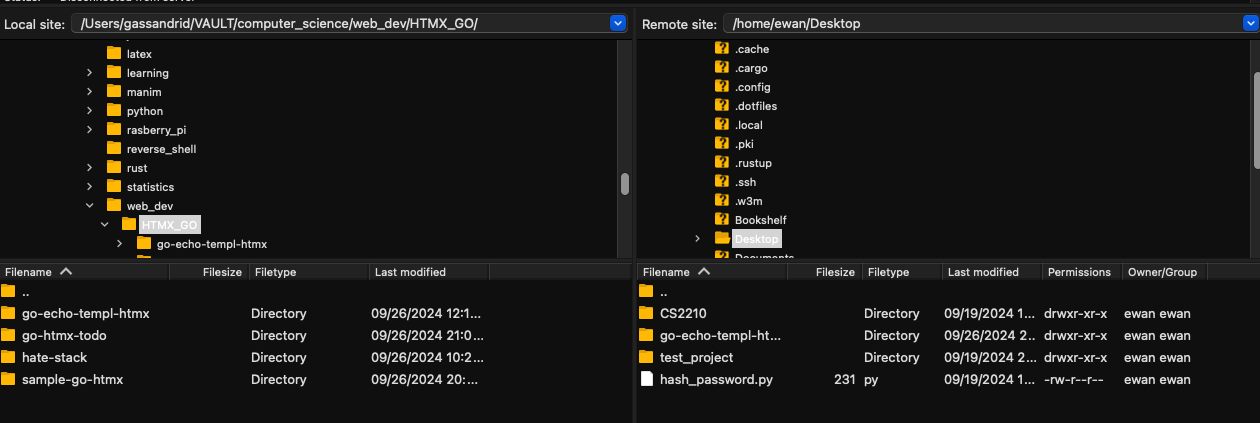
2. Take A screenshot Demonstrating Evidence of a Successful File Transfer Originating from Your Pi, Transferred to Your Host Computer. The Screenshot just Needs to Show a File (any file) on both Machines (local and remote).
Screenshot
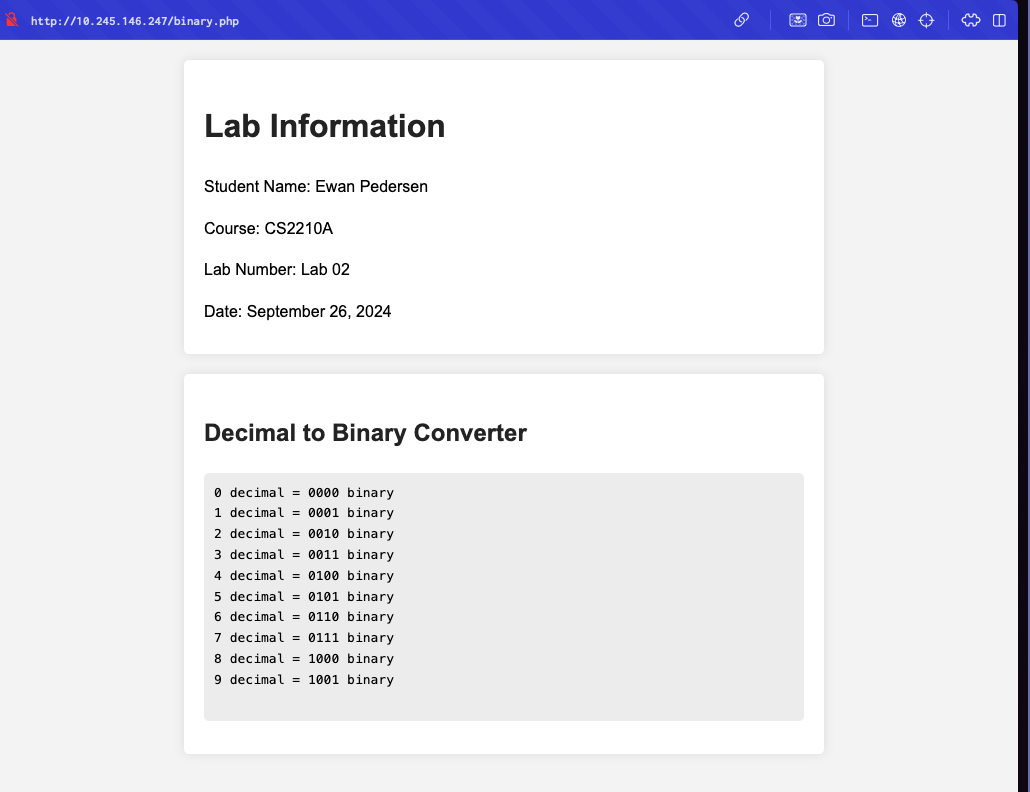
6. View the binary.php Page in Your Browser by Going to your_RaspberryPi_IP_address/binary.php in a Web Browser from Your Host Laptop and take a screenshot.
Screenshot
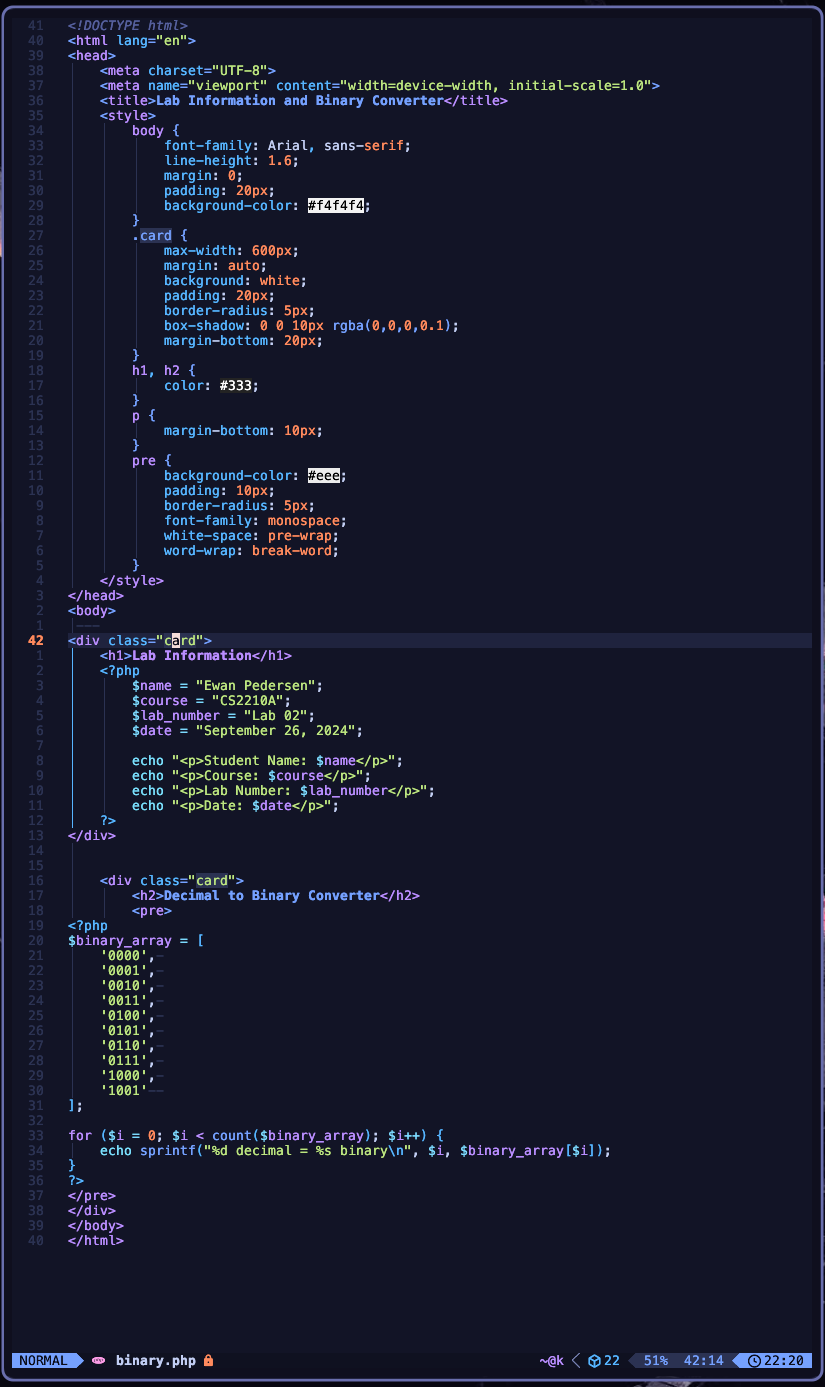
7. Take A screenshot of Your binary.php Source Code (instead of Submitting the Actual .php file).
Screenshot